
How to Choose the Right HRMS Software for Your Business in India 2026
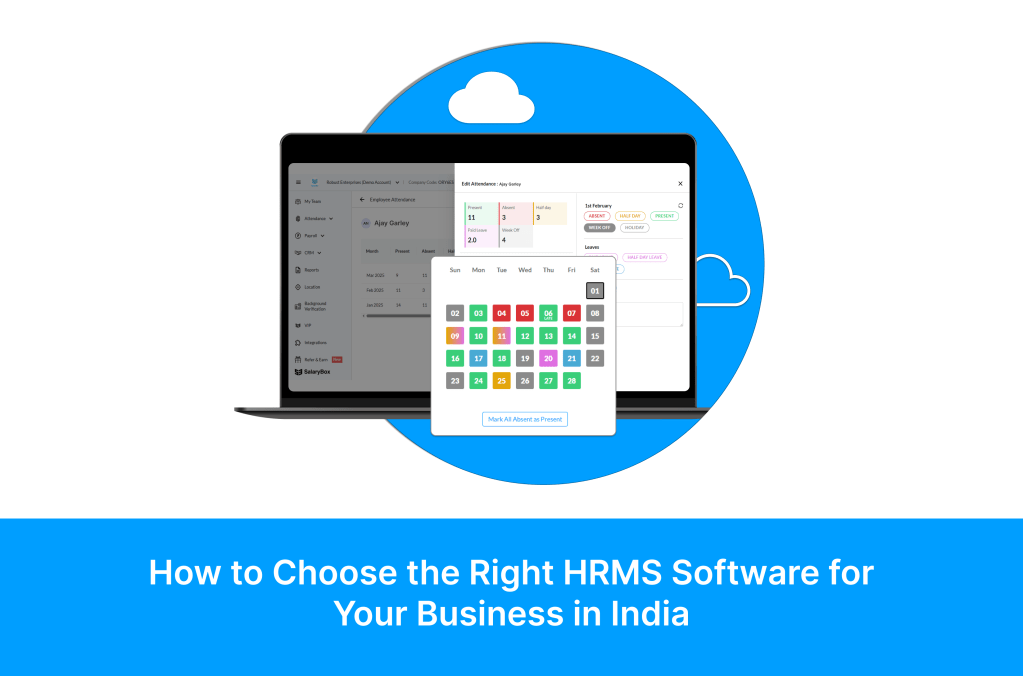
You have decided your business needs HRMS software. That is the easy part. The hard part is choosing the right one. A quick Google search for HRMS software India returns over 50 options, each claiming to be the best, the most affordable, and the most comprehensive. Their feature lists look identical. Their websites show the same smiling office workers. Their pricing pages range from transparent to deliberately confusing. And the stakes of getting this decision wrong are surprisingly high.
Pick the wrong HRMS and you end up with software that your employees refuse to use, compliance features that do not match Indian statutory requirements, a pricing model that doubles your cost as you grow, or an implementation that drags on for months and never fully works. Pick the right one and you automate 80 percent of your HR workload, eliminate payroll errors, stay compliant without thinking about it, and give your employees a modern self-service experience that builds trust and satisfaction.
This guide gives you a structured evaluation framework for choosing HRMS software specifically for Indian businesses in 2026. No sponsored rankings. No vague feature lists. Just the practical criteria that actually matter when you are signing up for software that will handle your employees’ salaries, attendance, leave, compliance, and personal data.
Step 1: Define What You Actually Need Before You Start Looking
The biggest mistake businesses make when choosing HRMS software is starting with the software instead of starting with their own requirements. They sign up for demos, get dazzled by features they will never use, and choose a platform that is powerful but mismatched to their actual needs.
Before you look at a single software product, answer these five questions clearly.
- How many employees do you have today, and how many do you expect in 2 years? This determines whether you need an SME-focused platform or an enterprise solution.
- What is your primary pain point? Is it payroll errors, attendance fraud, compliance anxiety, or all three? This determines which features are must-haves versus nice-to-haves.
- Do you have field employees, shift workers, or only office staff? This determines whether you need GPS tracking, geofencing, and shift management or just basic attendance.
- How many states do you operate in? Multi-state operations need state-specific Professional Tax, LWF, and minimum wage handling.
- What is your budget per employee per month? HRMS pricing in India ranges from Rs 25 to Rs 450 per employee per month. Knowing your budget narrows the field immediately.
Once you have these answers, you have a filter that eliminates half the options before you even start evaluating. A 30-employee retail business with a Rs 50 per employee budget and field staff does not need to evaluate Darwinbox or Keka. A 500-employee IT company does not need to evaluate apps designed for 10-person shops.
Step 2: The 10 Non-Negotiable Evaluation Criteria for Indian HRMS
After filtering by size and budget, evaluate every remaining option against these 10 criteria. They are ordered by importance for Indian businesses specifically, not for global buyers.
| # | Evaluation Criterion | Why It Matters for India | What to Check During Demo |
| 1 | Indian Statutory Compliance (PF, ESI, TDS, PT, LWF) | Non-compliance penalties are Rs 50K to Rs 2L per violation under new codes | Ask: does TDS auto-calculate for both old and new regime? Does PT handle all 28 states? |
| 2 | Attendance Flexibility (selfie, GPS, geofence, biometric) | 70% of Indian workforce is non-desk; you need multiple attendance modes | Test AI selfie anti-spoof, geofence radius setup, and biometric device sync |
| 3 | Mobile-First Employee App | Most Indian employees access HR through phone, not desktop | Download the employee app yourself; try payslip, leave, attendance on your phone |
| 4 | One-Click Payroll with Attendance Integration | Manual attendance-to-payroll reconciliation costs 3 to 5 days/month | Process a test payroll and check if attendance auto-feeds without any CSV import |
| 5 | Pricing Transparency and Scalability | Hidden costs and tier jumps can double your bill at 50 or 100 employees | Ask for all-in price per employee with no setup fees, no module charges |
| 6 | Implementation Speed | Enterprise HRMS takes 3 to 6 months; SME tools should be live in days | Ask: how many days from signup to first payroll run? |
| 7 | Data Security and DPDP Compliance | Employee data includes PAN, Aadhaar, salary, bank details — must be encrypted | Ask about encryption standards, role-based access, and DPDP consent management |
| 8 | Leave and Shift Management | Shift-based industries need roster planning with compliance guardrails | Test rotating shift setup, weekly-off auto-calculation, leave-payroll linkage |
| 9 | Reporting and Compliance Filing | PF ECR, ESI challan, TDS quarterly returns need data in specific formats | Ask: does the system generate ready-to-file PF ECR and ESI reports? |
| 10 | Customer Support Quality | When payroll is stuck on salary day, you need help in minutes, not days | Test response time during trial; ask existing customers about support quality |
Step 3: HRMS Pricing in India 2026 — What to Really Expect
HRMS pricing in India is a minefield of hidden costs, confusing tiers, and misleading per-employee rates that do not include all modules. Here is what the market actually looks like in 2026, with honest pricing ranges.
| HRMS Category | Price Range (per employee/month) | Best For | Typical Limitations | Examples |
| Budget Mobile-First | Rs 25 to Rs 50 | Small businesses under 100 employees | May lack advanced analytics or ATS | SalaryBox, Tankhwa Patra |
| Mid-Range Full Suite | Rs 60 to Rs 150 | Growing businesses 50 to 500 employees | May charge extra for compliance modules | Zoho People, Pocket HRMS, Zimyo |
| Premium All-in-One | Rs 150 to Rs 300 | Mid-market 200 to 2,000 employees | Annual contracts; setup fees common | Keka, GreytHR, FactoHR |
| Enterprise Grade | Rs 300 to Rs 450+ | Large enterprises 1,000+ employees | Long implementation; customisation required | Darwinbox, SAP SuccessFactors, Oracle HCM |
Hidden Costs to Watch For
- Setup or onboarding fees: Some platforms charge Rs 10,000 to Rs 50,000 as a one-time setup fee that is not shown on the pricing page.
- Module-based pricing: The base rate covers only core HR. Payroll, attendance, and compliance are charged as separate add-on modules.
- Tier jumps: Pricing per employee drops at higher tiers, but the minimum commitment at each tier creates cost jumps. Moving from 49 to 51 employees might push you into a higher minimum.
- Annual lock-in: Many platforms offer monthly pricing but require annual payment upfront. If the software does not work out, you have already paid for the year.
- Support tiers: Basic support is included, but priority or dedicated support costs extra, often significantly.
SalaryBox pricing is straightforward: Rs 35 per employee per month with no setup fees, no module charges, no tier jumps, and no annual lock-in. Every feature — attendance, payroll, compliance, GPS tracking, employee app, shift management — is included in the single per-employee price. What you see is what you pay.
Step 4: The Must-Have vs Nice-to-Have Framework
Not every feature on an HRMS feature list is equally important. The must-haves are features that directly impact compliance, payroll accuracy, and daily operations. The nice-to-haves are features that add value but do not break your operations if they are missing.
| Must-Have Features (Walk Away Without These) | Nice-to-Have Features (Valuable but Not Deal-Breakers) |
| Automated PF, ESI, TDS, PT calculation with latest rates | Performance management and appraisal module |
| Multiple attendance modes (selfie, GPS, geofence, biometric) | Recruitment and applicant tracking system (ATS) |
| One-click payroll with attendance auto-integration | Learning management system (LMS) |
| Employee mobile app with payslip and leave self-service | Employee engagement surveys |
| Leave management with approval workflow | Advanced HR analytics and predictive dashboards |
| Payslip generation in PDF with all statutory details | Expense management and reimbursement workflow |
| Multi-state PT and compliance handling | Asset management and IT provisioning |
| PF ECR and ESI challan report generation | Employee recognition and rewards platform |
| Data encryption and role-based access control | Custom report builder with drag-and-drop |
| Responsive customer support during payroll days | API integrations with accounting software |
Many businesses overpay for HRMS software because they buy an enterprise platform with 50 features when they only need the 10 must-haves. For Indian SMEs, SalaryBox covers every must-have feature at a fraction of the cost of platforms that bundle nice-to-haves you will not use for years.
Step 5: Questions to Ask During the Demo
The demo is where you separate marketing promises from operational reality. Most HRMS demos are scripted to show the product in the best possible light, with pre-configured data, ideal scenarios, and a skilled presenter who knows every shortcut. To get a real evaluation, you need to ask questions that force the demo off-script.
Compliance Questions
- Show me how the system handles an employee who switches from old to new tax regime mid-year. Does TDS recalculate automatically?
- If Maharashtra revises Professional Tax slabs next month, how quickly does the system update? Is it automatic or do I need to manually change the rates?
- Generate a PF ECR report right now from the demo data. Can I upload this directly to the EPFO portal?
Attendance Questions
- Show me the AI selfie anti-spoof detection. Can I try to fool it with a photograph of someone on my phone screen?
- Set up a geofence for this office location with a 100-meter radius. Now show me what happens when an employee tries to check in from 200 meters away.
- If an employee marks attendance offline with no internet, when does the data sync? Does the timestamp reflect the actual check-in time or the sync time?
Payroll Questions
- Process a test payroll for these employees. How many clicks does it actually take from start to salary credit?
- Add a mid-month joiner to the current payroll. Show me the pro-rata calculation. Does it handle the partial-month PF contribution correctly?
- An employee was absent for 3 days without approval. Show me how loss of pay is deducted automatically from attendance data without HR manually entering it.
Pricing Questions
- What is the all-inclusive price per employee per month? Are there any modules, features, or support tiers that cost extra?
- If I grow from 50 to 75 employees next quarter, does my per-employee rate change? Are there tier-based minimum commitments?
- What happens if I want to cancel? Is there an annual lock-in, and can I export all my data?
Step 6: The Implementation Reality Check
HRMS implementation timelines are one of the most commonly under-estimated aspects of the buying decision. Enterprise platforms routinely take 3 to 6 months to fully implement, with dedicated project managers, data migration specialists, and training sessions. For SMEs, this kind of timeline is impractical and unnecessary.
| HRMS Category | Typical Implementation Time | What You Need to Provide | When First Payroll Runs |
| SalaryBox (Mobile-First) | 1 to 2 days | Employee list, salary structures, basic company info | Same week as signup |
| Mid-Range HRMS | 1 to 4 weeks | Detailed data migration, policy configuration, training | 2 to 4 weeks after signup |
| Premium HRMS | 4 to 12 weeks | Dedicated implementation project with milestones | 1 to 3 months after contract |
| Enterprise HRMS | 3 to 6 months | IT integration, custom workflows, extensive UAT | 3 to 6 months after contract |
For Indian SMEs, the ideal implementation timeline is measured in days, not months. Every week spent implementing is a week you are still running payroll manually, still dealing with attendance spreadsheets, and still facing compliance risk. SalaryBox is designed for same-day setup: import your employee list, configure salary structures, set up geofences, and you are ready to run your first payroll within the same week.
Common Mistakes Businesses Make When Choosing HRMS
Mistake 1: Choosing Based on Feature Count Instead of Feature Depth
A platform that lists 75 features but does PF calculation wrong is worse than a platform with 15 features that handles compliance perfectly. Depth matters more than breadth. During evaluation, go deep on the features you actually need rather than comparing feature-list lengths.
Mistake 2: Ignoring the Employee Experience
Most HRMS buying decisions are made by business owners or HR managers who evaluate the admin dashboard. They forget to check the employee experience. If your employees find the app confusing or slow, adoption will fail, and you will be back to manual processes within months. Always test the employee app yourself before deciding.
Mistake 3: Not Testing with Real Scenarios
Demo data is clean and simple. Your real payroll has mid-month joiners, employees with different salary structures, people working in multiple states, overtime calculations at different rates, and statutory deductions with edge cases. Test the software with your actual complex scenarios, not the vendor’s sanitised demo data.
Mistake 4: Overbuying for Future Needs
A 40-employee business buying an enterprise HRMS because they plan to be 500 employees in five years is paying premium prices for years before they need premium features. Choose software that fits your current size with the ability to scale. You can always migrate later when you outgrow your current platform. The data is yours, and any good HRMS allows full data export.
Mistake 5: Not Checking Customer Support Quality
The true test of HRMS support is not during the sales process when everyone is responsive. It is on the 1st of the month when your payroll is stuck and you need help in 10 minutes, not 10 hours. Ask existing customers specifically about support responsiveness during payroll processing days. This single factor can make or break your experience with the platform.
Why Indian SMEs Are Choosing SalaryBox
After evaluating dozens of HRMS options against the criteria in this guide, here is why over 50,000 Indian businesses have chosen SalaryBox.
| Evaluation Criterion | How SalaryBox Delivers |
| Indian Statutory Compliance | Auto-calculated PF, ESI, TDS (old and new regime), PT for all states, LWF, Bonus, Gratuity |
| Attendance Flexibility | AI selfie with anti-spoof, GPS, geofencing, biometric device sync — all in one platform |
| Mobile-First Employee App | Dedicated Android and iOS app with payslip, leave, attendance, tax declaration |
| One-Click Payroll | Attendance auto-feeds into payroll; process entire company salary in one click |
| Pricing Transparency | Rs 35/employee/month — all features included, no setup fees, no annual lock-in |
| Implementation Speed | Live in 1 to 2 days; first payroll in the same week |
| Data Security | Bank-grade encryption, role-based access, DPDP consent management |
| Leave and Shift Management | Complete leave workflow, shift scheduling with compliance guardrails |
| Compliance Filing Reports | PF ECR, ESI challan, TDS computation, Form 16 — all auto-generated |
| Customer Support | Responsive support with priority handling during payroll processing days |
Frequently Asked Questions
Should I choose a mobile-first HRMS or a desktop-first HRMS?
For Indian businesses in 2026, mobile-first is the clear choice. Over 70 percent of the Indian workforce accesses technology primarily through smartphones. A desktop-first HRMS requires your employees to use computers they may not have. A mobile-first platform like SalaryBox puts attendance, payslips, leave, and self-service on the device every employee already carries. Desktop access is available for admin tasks, but the daily employee experience should be mobile.
How important is it that the HRMS handles Indian statutory compliance natively?
It is the single most important criterion. Indian statutory compliance including PF, ESI, TDS, Professional Tax, LWF, minimum wages, and the new labour codes is uniquely complex. Global HRMS platforms that add India as a country module often get compliance wrong or lag behind on rate changes. Choose a platform built specifically for Indian compliance from the ground up, not one that bolted it on as an afterthought.
Can I switch HRMS software later if my first choice does not work out?
Yes. Any reputable HRMS allows full data export. You can export employee data, salary history, attendance records, and compliance documents. The typical switching cost is the time spent setting up the new platform and importing data, which for SME-focused tools like SalaryBox is 1 to 2 days. The key is choosing a platform with no annual lock-in so you are not financially penalised for switching.
Is it better to use separate best-of-breed tools for attendance, payroll, and leave, or one integrated platform?
One integrated platform is almost always better for SMEs. Separate tools for attendance, payroll, and leave create data silos that require manual reconciliation. Every month, you need to export attendance data from one tool, import it into the payroll tool, and manually verify the numbers. An integrated platform like SalaryBox eliminates these handoffs entirely: attendance feeds into payroll automatically, leave deductions are calculated from the same data, and everything runs from a single source of truth.
Conclusion: Choose Based on What Works, Not What Looks Impressive
The right HRMS for your Indian business is not the one with the most features, the slickest website, or the biggest brand name. It is the one that handles your specific compliance requirements correctly, fits your workforce type with the right attendance modes, processes payroll accurately with minimal manual intervention, gives your employees a self-service experience they actually use, stays within your budget without hidden costs, and goes live in days instead of months.
Use the 10-criterion evaluation framework in this guide to score every platform you consider. Ask the tough demo questions that force the software off-script. Test with your real scenarios, not demo data. And remember that for Indian SMEs, the biggest risk is not choosing the wrong premium platform. It is staying on spreadsheets and manual processes while waiting for the perfect enterprise solution that you do not actually need. SalaryBox gives you everything on the must-have list at Rs 35 per employee per month, live in one day, with no compromises on compliance or employee experience. Sometimes the right choice really is that straightforward.
